'%20d='M0%200h512v512H0z'%20style='fill:url(%23cosmicGlow)'/%3e%3ccircle%20id='circle5'%20cx='256'%20cy='256'%20r='170'%20fill='none'%20stroke='%23fff'%20stroke-width='20'%20opacity='.7'/%3e%3ccircle%20id='circle6'%20cx='256'%20cy='256'%20r='130'%20fill='none'%20stroke='%23fff'%20stroke-width='16'%20opacity='.8'/%3e%3ccircle%20id='circle7'%20cx='256'%20cy='256'%20r='90'%20fill='none'%20stroke='%23fff'%20stroke-width='14'%20opacity='.9'/%3e%3ccircle%20id='circle8'%20cx='256'%20cy='256'%20r='48'%20fill='%23fff'/%3e%3cg%20id='g15'%20stroke='%23fff'%20stroke-linecap='round'%20stroke-width='10'%3e%3cpath%20id='line8'%20d='M256%20188v32'/%3e%3cpath%20id='line9'%20d='M256%20292v32'/%3e%3cpath%20id='line10'%20d='M188%20256h32'/%3e%3cpath%20id='line11'%20d='M292%20256h32'/%3e%3cpath%20id='line12'%20d='m210%20210%2022%2022'/%3e%3cpath%20id='line13'%20d='m280%20280%2022%2022'/%3e%3cpath%20id='line14'%20d='m280%20232%2022-22'/%3e%3cpath%20id='line15'%20d='m210%20302%2022-22'/%3e%3c/g%3e%3c/svg%3e) Orbit
OrbitWORKLOADS
Your workloads, in focus.
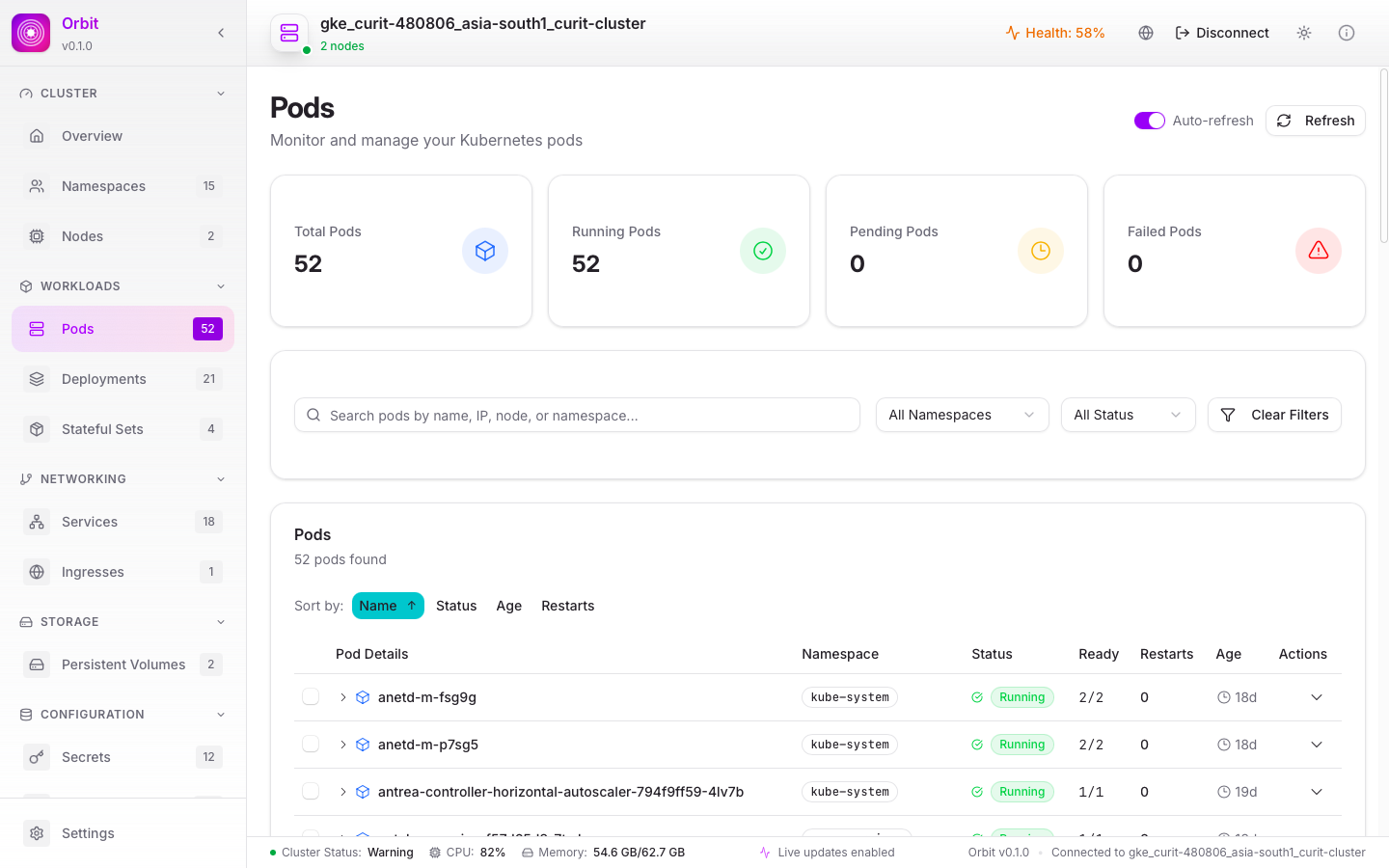
Explore pods, deployments, and StatefulSets. Filter by namespace and status to find exactly what needs your attention.
Meet Orbit. A native Kubernetes dashboard that brings your
workloads, logs, and cluster health into one focused workspace.
A LITTLE CLARITY GOES A LONG WAY
Bring your daily Kubernetes workflow together.
Less jumping around. More getting things done.
Explore pods, deployments, and StatefulSets. Filter by namespace and status to find exactly what needs your attention.
Inspect container logs and cluster events without losing the context of the resources you’re investigating.
See node status and resource metrics together. Understand how your cluster is using CPU and memory.
Inspect services and ingresses, and start or stop pod port forwards from your desktop.
Navigate ConfigMaps, secrets, namespaces, and persistent volumes alongside the workloads that depend on them.
Built with Tauri and Rust for a native desktop workflow, with light and dark themes and an integrated updater.
FROM KUBECONFIG TO CLARITY
Start with the access you already use. Orbit connects through your kubeconfig, so your cluster stays at the center of your workflow.
Find your OrbitInstall Orbit on macOS, Windows, or Linux.
Use your default kubeconfig or provide a custom config path.
Explore resources, inspect logs, and check cluster health.
YOUR NEXT WORKSPACE
A clearer view of Kubernetes is a download away.
GOOD TO KNOW
Your next workspace, explained.
Orbit is a desktop Kubernetes dashboard built with Tauri and Rust. It brings workloads, cluster resources, logs, events, and metrics into a single native workspace.
Use Quick Connect with your default kubeconfig, or supply a custom kubeconfig path. You need a reachable Kubernetes API and valid credentials with permission to access the resources you want to manage.
No. Orbit connects using your configured Kubernetes credentials. What you can see and do depends on the permissions granted to those credentials by your cluster.
Orbit targets macOS, Windows, and Linux. Choose your operating system in the download section to see the currently published installers and architectures.
Resource metrics depend on the metrics API being available in your cluster and on your credentials having access to it. If metrics are missing, check your cluster’s metrics service and permissions.